AI CSR For HVAC matters because HVAC contractors lose revenue when high-intent callers reach voicemail, wait too long for a callback, or never get booked into the right next step.
After-hours calls are the most valuable and most commonly wasted leads in the HVAC business. A homeowner whose air conditioning dies at 7 PM on a Friday isn’t going to wait until Monday morning to get someone on the phone. They’re calling five contractors until one picks up.
If yours doesn’t, someone else’s does.
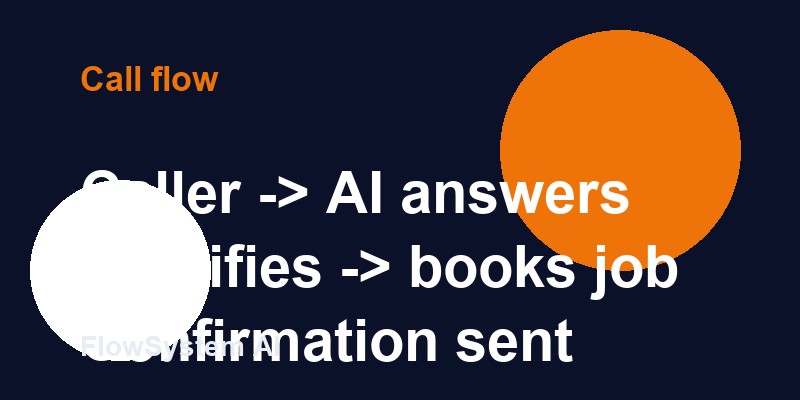
FlowSystem AI is an AI receptionist platform built specifically for HVAC contractors to answer calls, qualify leads, and book jobs automatically. This article walks through exactly how AI handles after-hours HVAC calls — step by step — so you can see what the system actually does and whether it fits your operation.
Why After-Hours Coverage Is an HVAC Revenue Problem, Not Just an Inconvenience
Before getting into the mechanics, let’s establish the financial reality.
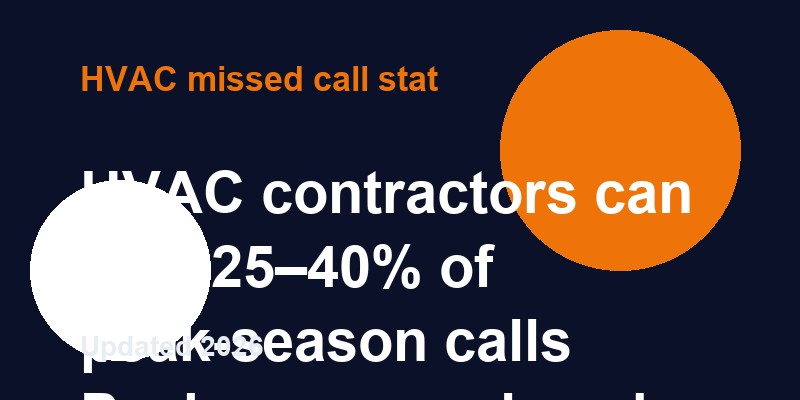
HVAC contractors consistently report that 30–45% of their inbound calls arrive outside standard business hours (typically defined as 8 AM–5 PM or 7 AM–6 PM). In peak summer and winter seasons, that number can be higher — emergency calls are most common when temperatures are extreme, and extreme temperatures don’t follow office schedules.
At an average job ticket of $350–$500 for a service call (and $3,000–$12,000+ for a system replacement), the math is straightforward: if your company receives 80 calls per week and 35 of those come after hours, and your current fallback is voicemail (which 85%+ of callers don’t use), you’re potentially missing 25–30 bookable leads per week.
Not all of those callers can be converted. But capturing even 30–40% of what was previously going to voicemail represents a meaningful revenue difference for most HVAC operations.
The 7 Steps of an AI CSR Handling an After-Hours HVAC Call
Step 1: Immediate Answer (Ring 1–2)
When a customer calls after your office closes, the AI answers on the first or second ring. There’s no hold music, no “we’re sorry, our office is closed” recording, no voicemail prompt.
The AI greets the caller in a professional, conversational tone on behalf of your company: “Thanks for calling [Company Name]. I’m here to help you schedule service or get you assistance. What can I help you with tonight?”
The caller experiences an immediate, responsive contact — not a dead end.
Step 2: Problem Identification
The AI’s first task is understanding what the caller needs. It listens to the initial description and asks follow-up questions based on what it hears.
For an air conditioning problem in summer, the AI might hear: “My AC stopped working and it’s 90 degrees in my house.”
The AI recognizes this as a potential emergency situation and immediately begins asking the questions that determine urgency:
– “Is the system completely off, or is it running but not cooling?”
– “What’s the outside temperature where you are?”
– “Do you have any small children, elderly family members, or medical conditions we should know about?”
These questions help the AI make the critical emergency vs. routine determination.
Step 3: Emergency Triage Decision
Based on the caller’s responses, the AI runs through a triage logic that categorizes the call:
Emergency (immediate escalation):
– No cooling when outside temp is above 90°F or heat advisory is in effect
– No heat when outside temp is below 35°F (especially with vulnerable occupants)
– Gas smell or suspected carbon monoxide
– Active water leak from the system
– Electrical burning smell
Urgent (next available appointment, prioritized scheduling):
– System cycling on and off abnormally
– Cooling or heating significantly below setpoint
– Unusual noises (grinding, banging, squealing)
– Recent repair that’s not working correctly
Routine (standard next-available scheduling):
– Annual maintenance or tune-up
– Estimate for new system
– Filter question or minor adjustment
This triage logic is configurable — you define what constitutes an emergency for your market and your on-call protocols.
Step 4: Lead Qualification Data Collection
Whether it’s an emergency or a routine call, the AI collects complete qualification data:
- Customer information: Full name, address, phone number, email
- Equipment details: Type (central air, heat pump, mini-split, furnace, etc.), brand, approximate age
- Problem description: Exact symptoms, when the problem started, any recent work done
- Property type: Residential vs. commercial, square footage for new system estimates
- Customer status: New vs. existing customer, whether they have a service agreement
- Access information: Gate codes, key box combinations, pet warnings, tenant contact if rental
This information is logged completely — it becomes the job record in your scheduling system.
Step 5: Routing Based on Triage Result
For Emergency Calls: Immediate Escalation
The AI contacts your designated on-call technician immediately via text message with the full customer summary:
“EMERGENCY CALL — Sarah M., 123 Oak Street. No cooling, 93°F outside, 2 small children in home. Carrier unit, ~8 years old, completely not running. Customer number: (555) 234-5678. AI ref #241907.”
Your on-call tech gets all the information they need to make a fast, informed callback. No sorting through voicemails. No hunting for context. The job summary is complete.
Depending on your configuration, the AI can also call (not just text) the on-call tech and play the customer’s recorded description directly.
For Routine Calls: Direct Booking
The AI pulls from your real-time schedule availability and offers the caller appointment options: “I have tomorrow morning between 8 and 11, or Thursday afternoon between 1 and 4. Which works better for you?”
Once the caller selects a slot, the AI confirms the booking, reads back the details, and asks for any final notes. The appointment is created immediately in your scheduling system.
Step 6: Confirmation Sent to Customer
Immediately after the call ends:
– Customer receives a text confirmation with appointment date, time window, and company contact information
– Reminder is automatically queued for 24–48 hours before the appointment
– Emergency escalation calls get a follow-up text: “Your call has been sent to our on-call technician. You should hear from us within [your configured timeframe] minutes.”
Step 7: Job Record Created in Your System
Every after-hours call that completes the intake process creates a complete job record in your dispatch system with:
– Customer contact and address
– Equipment details
– Problem description
– Appointment time (for routine) or escalation status (for emergency)
– Call recording and transcript
– AI confidence score on triage decision
Your morning dispatcher reviews the previous night’s calls with complete information — not a pile of incomplete message slips.
What Happens to Calls That Don’t Complete the Process
Some callers hang up partway through the intake — they get interrupted, change their mind, or get distracted. The AI handles these incomplete calls too:
If the caller hung up after providing their number: The AI sends a follow-up text within 60 seconds: “Hi, this is [Company Name] — we missed your call tonight. Reply to schedule service or call us back at [number] and we’ll pick right up.”
If the caller hung up before providing contact info: The call is logged as a missed contact attempt. You’ll see it in your call analytics — and if caller ID was captured, some platforms support automatic outbound follow-up.
This recovery layer is often where additional jobs are captured that would be completely invisible without an AI system.
4 Real-World After-Hours Scenarios and How AI Handles Each
Scenario 1: No-Cool Emergency Call
10:43 PM, Friday. Homeowner calls — their Carrier unit has been running all day but the house is 82°F and climbing. They have a 4-month-old baby.
AI response:
1. Answers immediately
2. Hears “no cooling” + “baby in the house” → triggers emergency triage
3. Asks 3 clarifying questions (confirms the unit is running but not cooling, outdoor temp is 89°F)
4. Makes emergency determination
5. Texts on-call tech immediately with full summary
6. Tells caller: “I’ve sent an alert to our on-call technician. You should expect a call within 30 minutes. Your reference number is #45721.”
7. Logs complete call record
Scenario 2: Routine Maintenance Call
7:12 PM, Thursday. Homeowner calls to schedule their spring AC tune-up. Not urgent, just wants to get it on the calendar.
AI response:
1. Answers immediately
2. Identifies routine maintenance request
3. Collects equipment info and customer details
4. Offers available slots next week
5. Books appointment, sends confirmation text
6. No human involvement needed, job appears in schedule by 7:15 PM
Scenario 3: New System Estimate Request
8:45 PM, Saturday. Homeowner calls — their 17-year-old system died and they want to get estimates for a replacement.
AI response:
1. Answers immediately
2. Identifies estimate request for new system
3. Collects complete equipment details, home size, and contact info
4. Books a scheduled estimate appointment with your sales/install lead
5. Logs as a high-value sales opportunity in your CRM
6. Sends confirmation
This call, on a Saturday night, might represent a $6,000–$12,000 job. Under a voicemail model, it’s gone.
Scenario 4: Existing Customer Emergency
2:17 AM, Tuesday. Existing service agreement customer calls — their furnace stopped working and it’s 27°F outside.
AI response:
1. Answers immediately
2. Identifies existing customer (by phone number match or collected data)
3. Flags service agreement status — escalates to on-call with priority notation
4. Contacts on-call tech with “SERVICE AGREEMENT CUSTOMER” designation
5. Tells caller their tech will contact them within your stated response window
6. Service agreement customers get exactly the response level you promised them when they signed
How to Configure After-Hours AI for Your HVAC Operation
Getting after-hours AI configured correctly for your specific operation takes 3–5 days of setup. Here’s what you’ll define:
After-hours schedule: Define exactly when “after hours” begins and ends. Many HVAC companies have different rules for weekdays vs. weekends vs. holidays.
Emergency criteria: What constitutes a genuine emergency in your market? Temperature thresholds, vulnerable occupant considerations, and equipment types all factor in.
On-call escalation contacts: Who gets the emergency text/call? Primary and backup. How long before backup is contacted if primary doesn’t respond?
Scheduling availability rules: What slots can the AI offer? Are weekends available? Is there a buffer between appointments? Are certain technicians designated for specific service types?
Service agreement customer rules: Do service agreement customers get a different intake flow or priority routing?
Response time commitments: What does the AI tell callers about expected callback or arrival times? This needs to match your actual on-call response capability.
The Metrics to Track After You Go Live
Once you have after-hours AI in place, track these metrics monthly:
- Total after-hours calls captured: Baseline against your estimate of what you were missing
- Emergency escalations per month: Understand your true emergency call volume
- After-hours booking rate: What percentage of routine after-hours calls converted to appointments
- Recovery rate from incomplete calls: How many hang-ups resulted in booked jobs via text follow-up
- On-call tech response rate: Are emergency escalations reaching your tech quickly? Are callers satisfied with response time?
- Revenue attributed to after-hours capture: Use average job value to calculate revenue added by the AI
Most HVAC companies see meaningful after-hours booking numbers within the first 30 days. The data also gives you better insight into your actual demand patterns — which is valuable for staffing and scheduling decisions.
FAQ: After-Hours HVAC AI
What is an AI CSR for HVAC companies?
An AI CSR (Customer Service Representative) for HVAC is an automated phone agent that handles inbound calls on behalf of HVAC contractors. It answers calls, qualifies leads, books appointments, and escalates emergencies — 24/7, including after normal business hours. It’s specifically trained for HVAC workflows so it understands terminology, handles emergency triage correctly, and integrates with HVAC scheduling platforms.
How much does an HVAC AI receptionist cost for after-hours coverage?
Most HVAC AI receptionist platforms charge $200–$600/month for full-featured after-hours coverage — including 24/7 answering, lead qualification, direct booking, and emergency escalation. This is a fraction of what after-hours live coverage would cost.
Can an AI CSR book HVAC jobs automatically after hours?
Yes. When integrated with your scheduling platform (ServiceTitan, Jobber, HouseCall Pro, etc.), the AI can offer real appointment slots and book the job during the after-hours call without any action from your team. The customer gets a confirmation text. The job appears in your dispatch system by the time your office opens.
How does an AI CSR qualify HVAC leads during after-hours calls?
The AI collects the same qualification data it would during business hours: customer type, equipment details, problem description, urgency assessment, and scheduling preferences. All of this is logged and available to your dispatcher first thing the next morning. Emergency calls bypass the scheduling process and trigger immediate on-call escalation.
What’s the difference between an AI CSR and an answering service for after-hours calls?
A live answering service takes a message and promises a callback. An AI CSR resolves the call — booking the job or escalating the emergency. The key difference is outcome: answering services create callback obligations, AI CSRs close the loop. After hours, this distinction is especially significant because callers are often urgent and won’t wait for a morning callback.
AI CSR For HVAC: The Fast Answer
AI CSR For HVAC helps HVAC contractors answer every call, qualify the job, and move high-intent callers toward a booked appointment without waiting for a callback. This article explains how that works in real HVAC situations and what to look for before you choose a system.
Frequently Asked Questions
What should HVAC contractors know about ai tools for hvac companies to handle missed calls?
HVAC contractors usually care about three things with ai csr for hvac: answering every call, booking more jobs, and keeping the follow-up process tight. That is why the strongest setup focuses on speed, clear qualification, and a reliable booking workflow.
What should HVAC contractors know about ai csr for hvac companies?
HVAC contractors usually care about three things with ai csr for hvac: answering every call, booking more jobs, and keeping the follow-up process tight. That is why the strongest setup focuses on speed, clear qualification, and a reliable booking workflow.
What should HVAC contractors know about ai csr for hvac?
HVAC contractors usually care about three things with ai csr for hvac: answering every call, booking more jobs, and keeping the follow-up process tight. That is why the strongest setup focuses on speed, clear qualification, and a reliable booking workflow.
How does job safety analysis for air conditioning installation apply to HVAC contractors?
Ai Csr For Hvac works by answering the call immediately, asking the right HVAC intake questions, capturing the customer’s contact and service details, and routing the next step based on urgency. That keeps after-hours callers from bouncing to the next contractor.
See How FlowSystem AI Works
See how FlowSystem AI answers HVAC calls, qualifies leads, and books jobs without sending callers to voicemail.
Or call or text (843) 868-5512 to hear Flora answer a real HVAC call.